Note
I’m not trying to improve this game’s codebase. I left it as-is as a reference point for my programming skills.
Building tools made by hand
Blocks Simulator is a Roblox building game I made at the end of 2021. You join, place blocks and build whatever you want. By then I was writing better code than in my first projects, although it still ended up with plenty of technical debt and some spaghetti. My favourite part of the game is the building tools, because I made them on my own and they took months of research and maths.
The tools
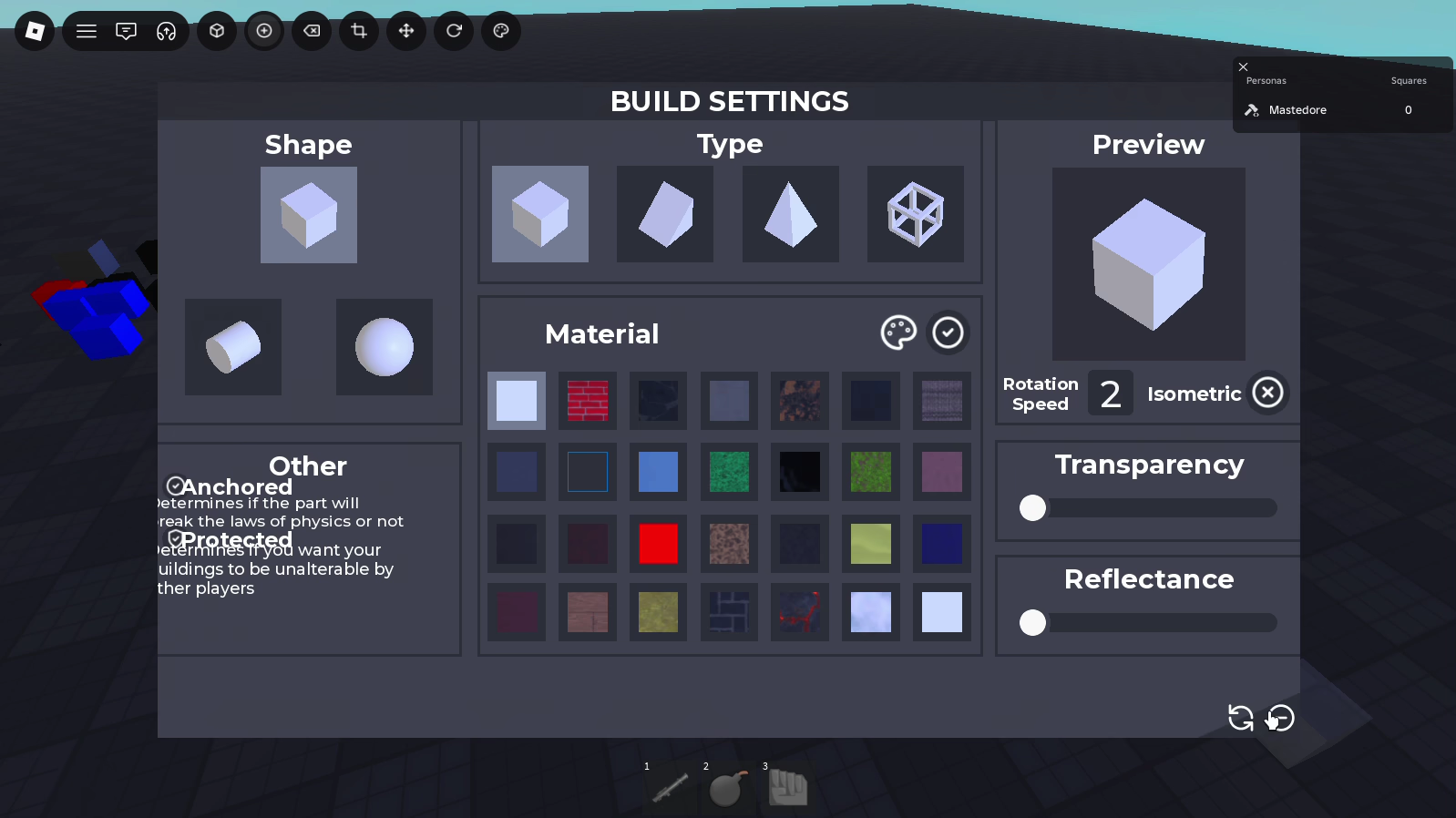
There are six, and each one has its own key: Q to build, E to delete, Z to scale, X to move, C to rotate and F to paint. The build tool opens a window where you pick the shape (block, cylinder or ball), the type (block, wedge, corner wedge or truss), one of 28 materials, the transparency, the reflectance, and whether the block stays anchored or physics takes over. While you aim, a ghost block follows the mouse, snapped to the grid, and sits against the face you’re pointing at.
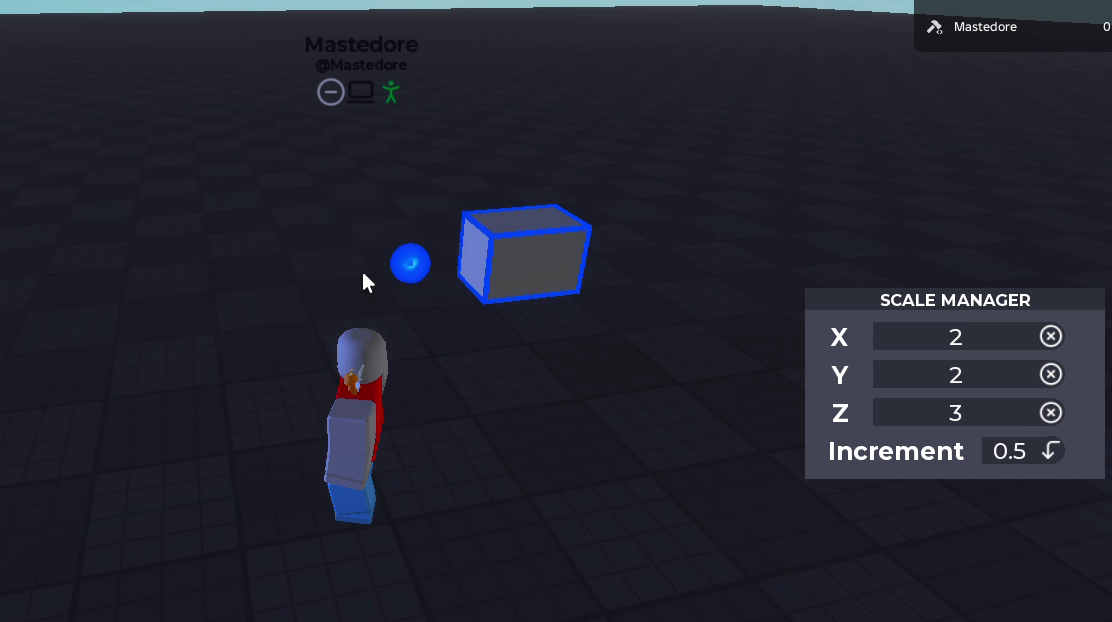
The scale tool is the one I’m proudest of. If you drag the top face of a block, it only grows upwards and the bottom face stays where it was. That sounds obvious, but Roblox resizes parts from the centre, so every time the block grows it has to be shifted by half of what it grew towards that face, and that has to work even when the block is rotated. You can scale in steps from 0.01 to 4 studs, or type the exact size in the window.
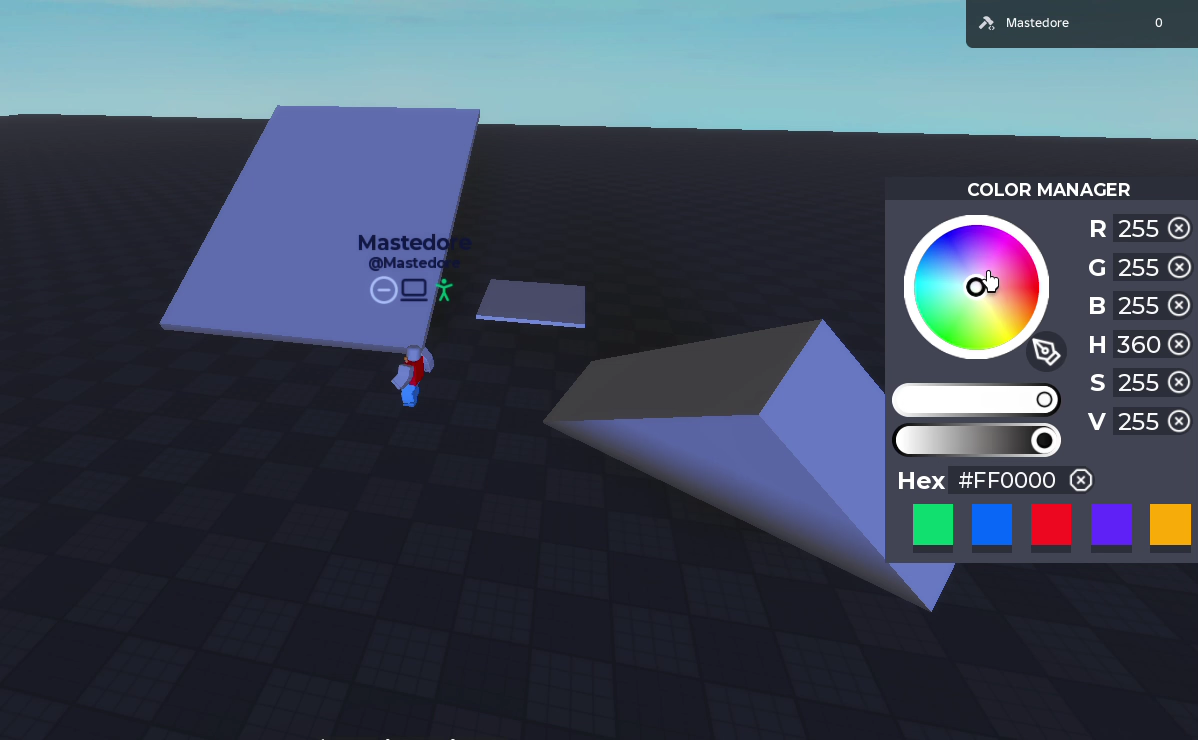
Moving works along the block’s own axes, in steps of up to 255 studs. Rotating uses arc handles and snaps to 15 degrees unless you set another value, and in that script I left a comment that says “this rotation system was too complex for me to do, #stackoverflow4ever”. For painting there’s a colour wheel with RGB, HSV, hex and five saved colours.
Like an operating system
For some reason I decided to build everything as if it were a computer. Each tool is a “program” named like an executable (new.exe, Transform.exe, Color.exe, Delete.exe), with a Main.lua as its entry point and each window’s sections in folders ending in .dll. Windows minimise and maximise, and there are pop-ups like “mk.exe: Desea instalar esta herramienta? build.exe” (Spanish for “Do you want to install this tool?”). Underneath there’s a framework of my own, SolarFramework, with a maths module (Tena) and a per-block permissions module (Solar3).
The debt
The scale script repeats almost the same 50-line block six times, once per face. The Protected option stores the block’s owner on it, but no server handler ever checks it, so anyone can move your stuff. On top of that, every player gets a folder in the Workspace named after them with a .reg suffix, which holds their blocks and some settings, and a good chunk of the game sits waiting for that folder to exist before it starts.
The technical write-ups for each tool, with the math and the bugs I find in it today, are in the portfolio version.