Color
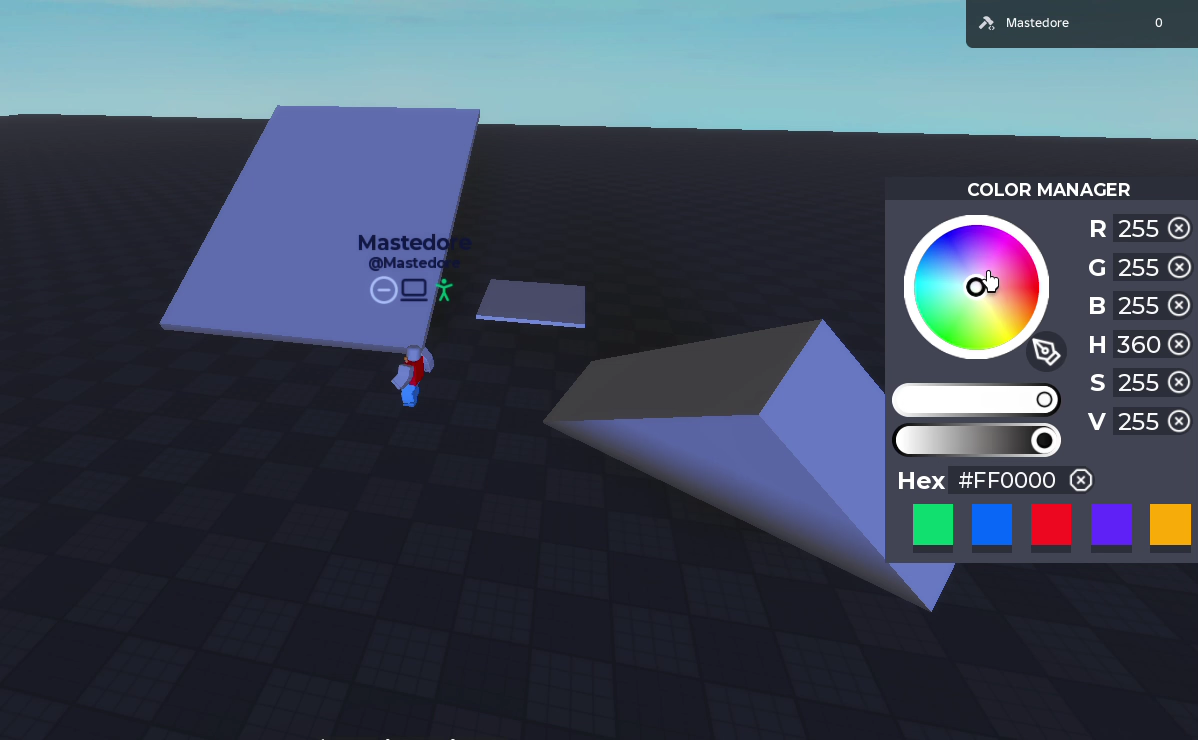
The colour tool (F) paints whatever block you click.
How it works
- F opens the Color Manager: a colour wheel, sliders for saturation and value, RGB, HSV and hex fields, and five saved colours.
- Every field updates the others, so you can pick on the wheel and read the hex code, or type RGB and see where it lands on the wheel.
- The outline around the block under your mouse takes the colour you picked, so you see it before painting.
- Click a block to paint it.
- The eyedropper copies the colour of the next block you click.
Under the hood
On the wheel, the hue is the angle around the centre and the saturation is the distance from it. To show darker colours, the wheel isn’t redrawn: its image is tinted grey, which is exact because of how HSV works. The math, and a couple of bugs that cancel each other out, are in the portfolio version.